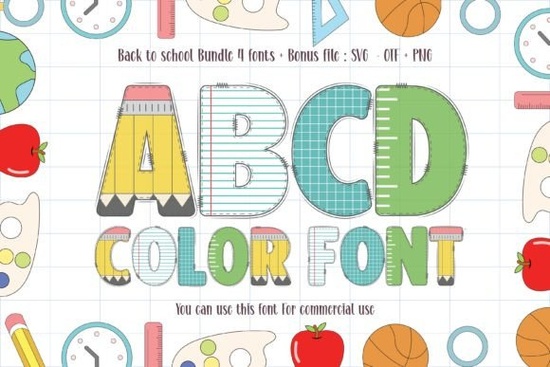
If you are looking for a playful typeface that instantly grabs attention, the Back to School Font delivers exactly what you need. This thick-lettered, multicolor typeface was built with children’s activities, classroom materials, and lighthearted branding in mind. Instead of relying on flat, single-color letters, it brings built-in shading and vibrant tones that save you time during the design process. Whether you run a print-on-demand shop, create digital worksheets, or craft handmade stickers, this font gives your layouts a ready-made pop without extra editing.
What makes this typeface stand out for classroom and kids’ projects?
Most standard fonts require manual layering, gradient overlays, or vector effects to achieve a colorful look. This typeface handles that work automatically. Each character comes pre-filled with bright, balanced tones that print clearly on both light and dark backgrounds. The thick stroke weight ensures readability even at smaller sizes, which matters when you are designing name tags, reward charts, or activity books for younger audiences. The rounded edges and friendly proportions also keep the overall mood approachable, so parents and teachers feel comfortable using your finished products.
Which design projects work best with thick color lettering?
You can apply this lettering style across a wide range of creative work. Here are the formats where it tends to perform best:
- Print-on-demand apparel: T-shirts, hoodies, and tote bags for the first day of school or summer camp
- Digital printables: Planners, coloring book covers, flashcards, and classroom posters
- Small business branding: Bakery labels, toy shop logos, party invitations, and product packaging
- Crafting and DIY: Vinyl decals, sticker sheets, scrapbook titles, and handmade greeting cards
Because the colors are embedded directly into the font file, you do not need to manually recolor each letter. This speeds up your workflow and keeps your design files lighter, which is especially helpful when you are batching multiple products for an online store.
How do I install and use a multicolor font without compatibility issues?
Color fonts work slightly differently than traditional typefaces. To get the full effect, you will need design software that supports OpenType-SVG or COLR/CPAL formats. Programs like Adobe Illustrator, Photoshop, and Affinity Designer handle these files smoothly. If you prefer free alternatives, Canva and Cricut Design Space may display the font in a single flat color unless you export it as a transparent PNG first. A quick workaround is to type your text in a compatible program, export it as an image, and then upload that file to your preferred crafting app. Always test a single line of text before committing to a full layout, and keep your original editable file saved in case you need to adjust spacing later.
What should I check before selling products with this typeface?
Licensing is the most common oversight for creative sellers. Before listing items on Etsy, Amazon, or your own website, review the commercial terms attached to your download. Most marketplace fonts allow you to sell physical products and digital prints, but they often restrict reselling the font file itself or using it in trademarked logos. If you plan to scale your shop, keep a simple record of your purchase receipt and license type. This protects your business and keeps your storefront compliant. When you are ready to explore more playful lettering options for seasonal releases, you can find additional ideas by browsing other vibrant typefaces for classroom projects that match this same cheerful style.
Where can I safely download and test the font?
You can preview the complete character set, check spacing, and review licensing details directly on the marketplace. If you want to see how it compares to similar styles, you can also search for Back to School Font to view user ratings and related bundles. Testing a few sample words like “Welcome,” “Recess,” or “Class of 2025” will give you a clear idea of how the letters interact and where the natural breakpoints fall.
What steps should I follow before starting my first layout?
- Verify your design software supports OpenType-SVG or COLR color formats
- Install the font file through your system’s font manager and restart your design app
- Type a short test phrase to confirm the embedded colors render correctly
- Check character spacing and adjust kerning manually if certain letters overlap
- Save your license receipt in a dedicated folder for future commercial projects
- Export a high-resolution PNG with a transparent background for crafting platforms
Start with one small project, like a printable name tag or a simple tote bag mockup, to see how the typeface behaves in your workflow. Once you confirm the colors print cleanly and the file sizes stay manageable, you can scale up to full product lines with confidence.
Download Now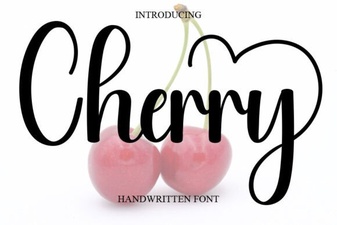 Cherry Font: Free Handwritten Script for Creative Projects
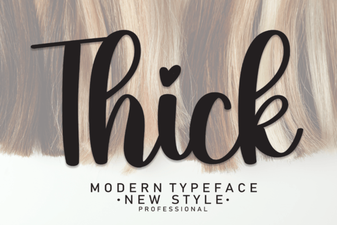 Thick Fonts for Bold, Impactful Designs
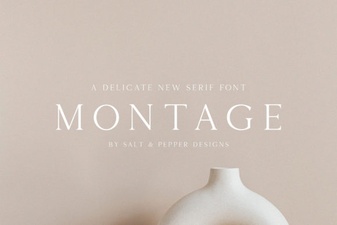 The Montage Font: Design Ideas & Free Downloads
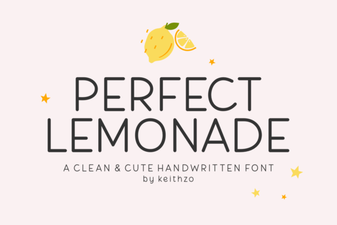 Perfect Lemonade Font Design Ideas & Free Download
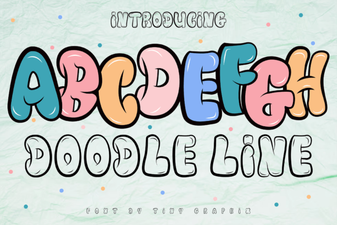 Doodle Line Fonts: Creative Projects & Ideas
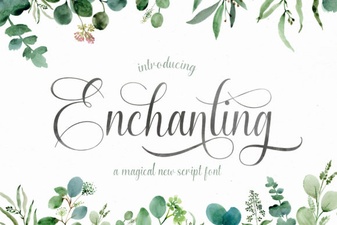 Enchanting Script Fonts for Creative Designs