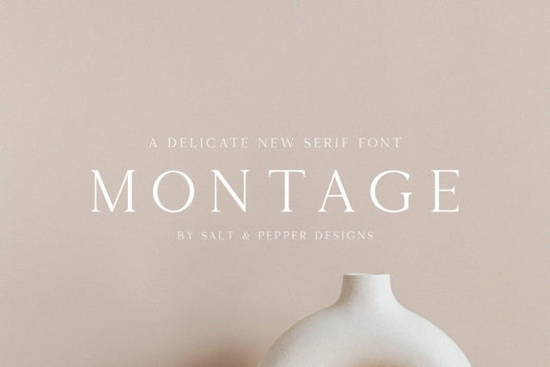
If you need a typeface that brings a quiet, refined look to your layouts, Montage Font delivers exactly that. This thin-lettered serif carries an authentic, hand-crafted feel while keeping the clean structure required for professional work. Designers, crafters, and print-on-demand sellers often choose it when they want a subtle luxury touch without overwhelming the rest of the design. Whether you are setting up wedding stationery, boutique packaging, or a small business logo, the delicate strokes and balanced spacing make it a reliable choice for projects that need to look polished but not stiff.
What makes this thin serif typeface work so well for branding?
The strength of a lightweight serif lies in its restraint. Montage avoids heavy contrast and decorative swashes, which means it reads clearly even at smaller sizes. The letterforms have a gentle, authentic rhythm that feels more like careful pen work than a rigid digital grid. This makes it especially useful for:
- Boutique logos that need to look established but approachable
- Product labels where clean legibility matters on curved or textured surfaces
- Wedding and event suites that require a soft, upscale tone
- Social media quotes and printable wall art that rely on negative space
Because the strokes are thin, the font naturally creates breathing room on the page. You do not need to add extra tracking or force wide margins to make the design feel open. The typeface handles that spacing for you, which saves time when you are juggling multiple client revisions or preparing a batch of listings for your online shop.
Which projects should I avoid when using a delicate serif?
Not every layout suits a lightweight typeface. If your design will be printed on rough materials, embroidered on fabric, or scaled down for tiny product tags, thin lines can disappear or break during production. In those cases, it is smarter to reserve this style for headings, accent text, or digital mockups, and pair it with a sturdier companion for body copy. You should also test a proof print before committing to a full run, especially if you are using budget-friendly paper or direct-to-garment printing.
When you need a slightly heavier alternative for supporting text, you can explore options like a smoother serif with medium weight that keeps the same elegant mood without sacrificing durability. For vintage-inspired layouts that need more texture, a classic serif with subtle wear often bridges the gap between old-school charm and modern readability.
How do I pair Montage with other fonts without cluttering my layout?
Thin serifs thrive on contrast. The easiest way to build a balanced typographic system is to pair them with a simple sans serif or a sturdy slab for longer paragraphs. Keep the hierarchy clear:
- Use the serif for titles, short taglines, or signature-style accents.
- Choose a neutral sans serif for descriptions, ingredients lists, or contact details.
- Stick to two typefaces per project. Adding a third usually creates visual noise.
- Match the x-heights as closely as possible so the switch between fonts feels intentional.
Color also plays a big role. Dark charcoal, deep navy, or muted earth tones tend to support thin lettering better than bright neon or low-contrast pastels. If you are designing for screens, bump the font size up by two or three points and check how it renders on mobile devices. Thin strokes can vanish on low-resolution displays, so a quick preview on an actual phone will save you from customer complaints later.
What should I verify before downloading and installing a new font?
Font files look simple, but a few quick checks will prevent formatting headaches down the line. First, confirm that the package includes the file formats you actually need. Most modern design software runs smoothly with OTF or TTF files, while web projects may require WOFF versions. Second, review the licensing terms carefully. Personal use, commercial use, and print-on-demand rights are not always bundled together, and marketplace platforms often have specific rules about embedded typefaces.
Installation is straightforward on both Windows and Mac, but it helps to restart your design program after adding a new typeface to your system folder. If you notice missing glyphs or uneven spacing, clear your font cache or reinstall the file from the original source. For a quick look at how this typeface fits into a broader collection, you can browse similar lightweight serif options that share the same refined aesthetic.
If you want to see how other creators are applying this style across different niches, you can search for Montage Font to view real project examples and current licensing options. Checking actual use cases often reveals spacing tricks and color pairings that you might not notice in a standard preview image.
Quick checklist before you start your next layout
- Test print a single page at actual size to verify stroke visibility.
- Pair the thin serif with a heavier sans serif for body text.
- Keep line height between 1.4 and 1.6 for comfortable reading.
- Confirm commercial or POD rights match your selling platform.
- Save a backup of the original font files in a cloud folder.
Take a few minutes to set up a simple style sheet with your chosen sizes, colors, and spacing rules. Once those basics are locked in, you can move through invitations, labels, or digital templates much faster, and your final files will look consistent across every product you release.
Try It Free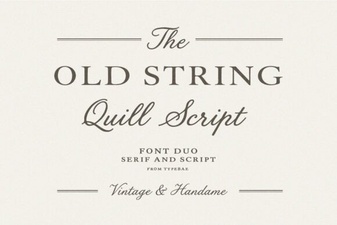 Reviving Classic Fonts: Old String Style Inspiration
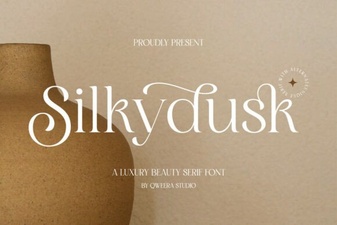 Silkydusk Font for Elegant & Creative Designs
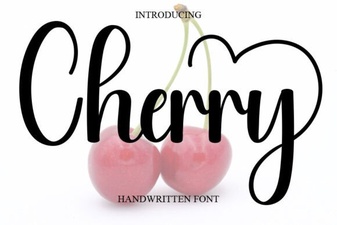 Cherry Font: Free Handwritten Script for Creative Projects
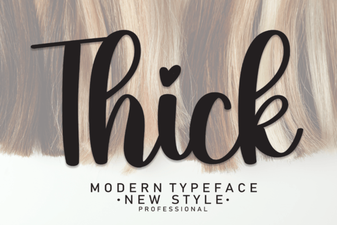 Thick Fonts for Bold, Impactful Designs
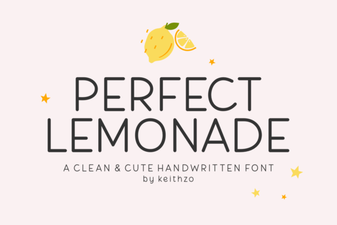 Perfect Lemonade Font Design Ideas & Free Download
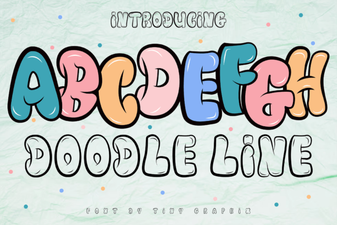 Doodle Line Fonts: Creative Projects & Ideas