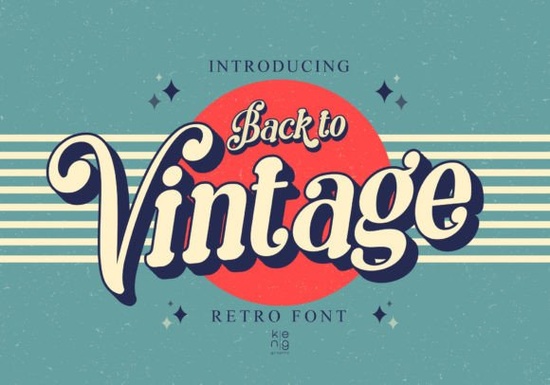
If you need a typeface that instantly brings warmth and nostalgia to your layouts, Back to Vintage Font delivers exactly that. This display typeface pulls directly from the bold, playful lettering of the 1960s, 70s, and 80s, but it skips the harsh, jagged edges you often find in older retro styles. Instead, every corner is softened and rounded, making it highly readable at large sizes while keeping that unmistakable throwback character. Designers, print-on-demand sellers, and crafters regularly choose it when headlines, logos, or product labels need to stand out without feeling dated or difficult to parse.
What makes this retro typeface stand out in modern projects?
The main advantage of a vintage-inspired display font is how quickly it establishes a visual mood. With Back to Vintage Font, you get a carefully balanced mix of nostalgia and clean geometry. The rounded terminals keep the letters approachable, which works especially well for family-friendly brands, handmade shops, and lifestyle products. Unlike heavily distressed or grunge typefaces, this style stays crisp on both screen and print. That means your t-shirt mockups, sticker sheets, and packaging labels will look sharp even after resizing or converting to vector paths. If you want to see how the rounded lettering renders across different mockups, the preview gallery shows real-world applications that help you visualize the final result.
Where does a vintage display font work best?
Display typefaces are built for impact, not body text. You will get the most reliable results when you reserve this style for short phrases, titles, and accent words. Here are a few places where it consistently performs well:
- Print-on-demand merchandise: Short quotes, retro cafe logos, and vintage-style tour shirts print cleanly on cotton and polyester blends.
- Small business packaging: Product names, batch numbers, and thank-you tags gain a handmade feel without sacrificing legibility.
- Digital templates and social graphics: YouTube thumbnails, Pinterest pins, and Instagram story covers benefit from bold, rounded letters that read quickly on mobile screens.
- Craft and hobby projects: Vinyl decals, laser-cut wood signs, and scrapbook titles cut smoothly because the softer corners reduce sharp weeding points.
When you need a lighter, more decorative alternative for secondary text, a floral display option can complement the heavier retro letters nicely. Keeping your hierarchy clear ensures the main message stays front and center.
How do you pair and style rounded retro letters effectively?
Typography pairing is mostly about contrast. Since this font carries strong personality and uniform weight, pair it with a simple sans serif or a clean slab serif for supporting text. Avoid using two decorative typefaces on the same layout, as they will compete for attention. When setting your headlines, try these practical adjustments:
- Increase letter spacing slightly to let the rounded shapes breathe.
- Stick to two or three colors maximum. Cream, mustard, burnt orange, and muted teal work naturally with 70s-inspired palettes.
- Test your layout at actual print size. What looks balanced on a monitor can appear too tight or too loose on paper.
If you are building a brand kit and want to explore a smoother, modern retro alternative for subheadings, a soft brush display style often bridges the gap between vintage charm and contemporary minimalism. For projects that need sharper geometric lines instead, you might browse a gemstone-inspired display typeface to switch up the mood. When your design calls for something heavier and more rustic, a western block style can ground the layout while keeping the retro theme intact.
What should you check before adding a new font to your workflow?
Downloading a new typeface is straightforward, but integrating it smoothly takes a few quick checks. First, verify the file formats. Most design software handles .OTF and .TTF without issues, but some cutting machines and older programs prefer one over the other. Second, review the license details carefully. Personal projects usually have fewer restrictions, but commercial sales, print-on-demand listings, and client work often require a specific commercial or extended license. Third, install the font correctly on your operating system and restart your design app so the new family appears in the menu.
Finally, run a quick test export. Check how the rounded corners render at small sizes, how the ink spreads on your chosen paper or substrate, and whether the file converts cleanly to SVG or PDF. A five-minute test saves hours of rework later, and it ensures your final product looks exactly how you intended.
Quick next steps before you start designing:
- Confirm your license matches your intended use (personal, commercial, or POD).
- Install both .OTF and .TTF versions if available, then restart your software.
- Set headlines at 48pt or larger and adjust tracking by +10 to +20 for better readability.
- Pair with a neutral body font and limit your palette to three retro-friendly colors.
- Always run a test cut or print to verify edge smoothness before uploading or shipping.
Keep your message short, let the rounded vintage shapes do the heavy lifting, and your next project will have that instant throwback appeal without sacrificing modern clarity.
Download Now Doodle Line Fonts: Creative Projects & Ideas
 A Bold Brick Stacked Font for Creative Projects
 Bloomsy Font for Elegant and Creative Designs
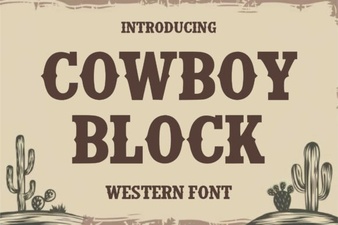 Cowboy Block Font for Rustic Design Projects
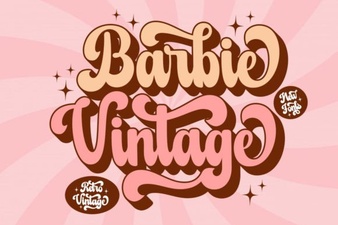 Vintage Barbie Fonts for Modern Design Projects
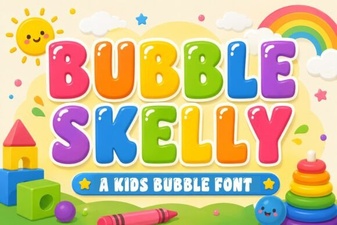 Bubble Skelly Font Download & Creative Uses