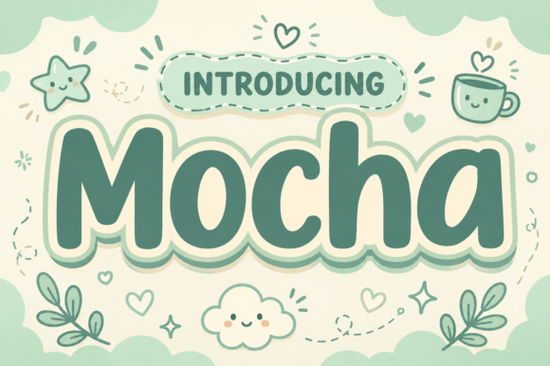
If you are looking for a typeface that feels like a warm cup of coffee on a quiet morning, Motcha Font delivers exactly that vibe. This display font uses ultra-bold, pillowy letterforms with soft rounded edges to create a heavy but friendly presence. It works especially well for designers, print-on-demand sellers, and small business owners who want their headlines to feel approachable without sacrificing readability.
What makes this typeface stand out for cozy branding?
The design relies on clean geometry wrapped in gentle curves. Instead of sharp corners or aggressive strokes, you get a cloud-like sticker outline that naturally draws the eye. The earthy cream and sage-green palette suggested in the preview files gives it a grounded, organic feel. When you place it on packaging or social media graphics, the letters read as both substantial and comforting. That balance is hard to find in bulky display fonts, which often feel too loud or cartoonish. Here, the weight is distributed evenly, so your text stays legible even at smaller header sizes.
Where does it work best in real projects?
This font shines when you need to communicate warmth quickly. Think about coffee shop menus, candle labels, children’s book covers, or lifestyle blog headers. It also performs well on print-on-demand products like tote bags, mugs, and nursery wall art where a soft aesthetic matters. Because the letterforms are self-contained and visually complete, you rarely need to add extra decorative elements. The typeface does the heavy lifting on its own.
If you are building a seasonal collection, you might pair it with a lighter script for subheadings, or test it alongside other rounded options like crafty bloom styles to see which mood fits your brand. For a more rustic direction, some creators mix it with western-inspired block letters to create contrast between soft and sturdy.
How do you pair it without cluttering your layout?
Heavy display fonts need breathing room. Keep your line spacing generous and avoid stacking too many words in a single block. A simple rule that works for most crafters and designers is to use this typeface for the main headline only, then switch to a clean sans-serif or a delicate serif for body text. If you want to experiment with layering, try placing a thin outline version behind the solid fill, or test it next to floral-themed display fonts for spring packaging. When you need something with a bit more edge for contrast, geometric display alternatives can ground the sweetness without competing for attention.
For playful projects that target younger audiences, you might also look at how rounded novelty typefaces handle spacing, then apply those same tracking adjustments here. The goal is always readability first, personality second.
What should you check before adding it to your toolkit?
Always review the license file that comes with the download. Commercial use rules vary depending on whether you are selling physical goods, digital templates, or print-on-demand items. Make sure the file package includes the formats you need, usually OTF and TTF, and check whether web font files are provided if you plan to use it on a live site. Test the font at different sizes in your actual design software before committing to a full layout. Some ultra-bold typefaces lose their inner counters when scaled down too far, so a quick print test or screen preview will save you revision time later.
You can also browse how other creators style similar letterforms by searching for Motcha Font on design marketplaces to see real-world applications and licensing notes.
Quick setup checklist for your next project
- Install the OTF or TTF file and restart your design app to avoid missing glyphs.
- Set headlines between 48pt and 120pt for optimal pillowy readability.
- Increase letter spacing by 10 to 25 units to let the rounded contours breathe.
- Pair with a light, neutral body font to keep the layout balanced.
- Run a test print on your actual product material to check ink spread and edge softness.
- Verify commercial licensing before uploading to print-on-demand platforms or selling templates.
Start with a single headline mockup, adjust the tracking until the words feel airy, and save your color palette as a swatch library. Once you lock in those basics, the rest of your branding assets will fall into place much faster.
Explore Design Doodle Line Fonts: Creative Projects & Ideas
 A Bold Brick Stacked Font for Creative Projects
 Bloomsy Font for Elegant and Creative Designs
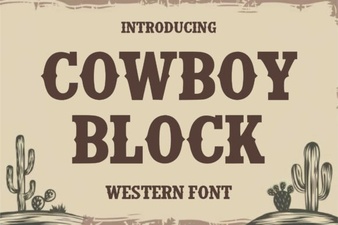 Cowboy Block Font for Rustic Design Projects
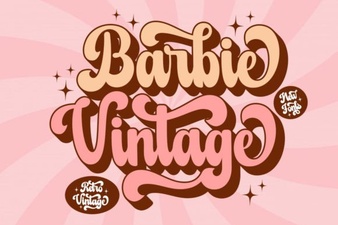 Vintage Barbie Fonts for Modern Design Projects
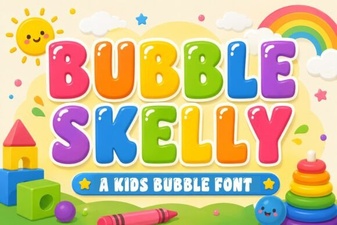 Bubble Skelly Font Download & Creative Uses